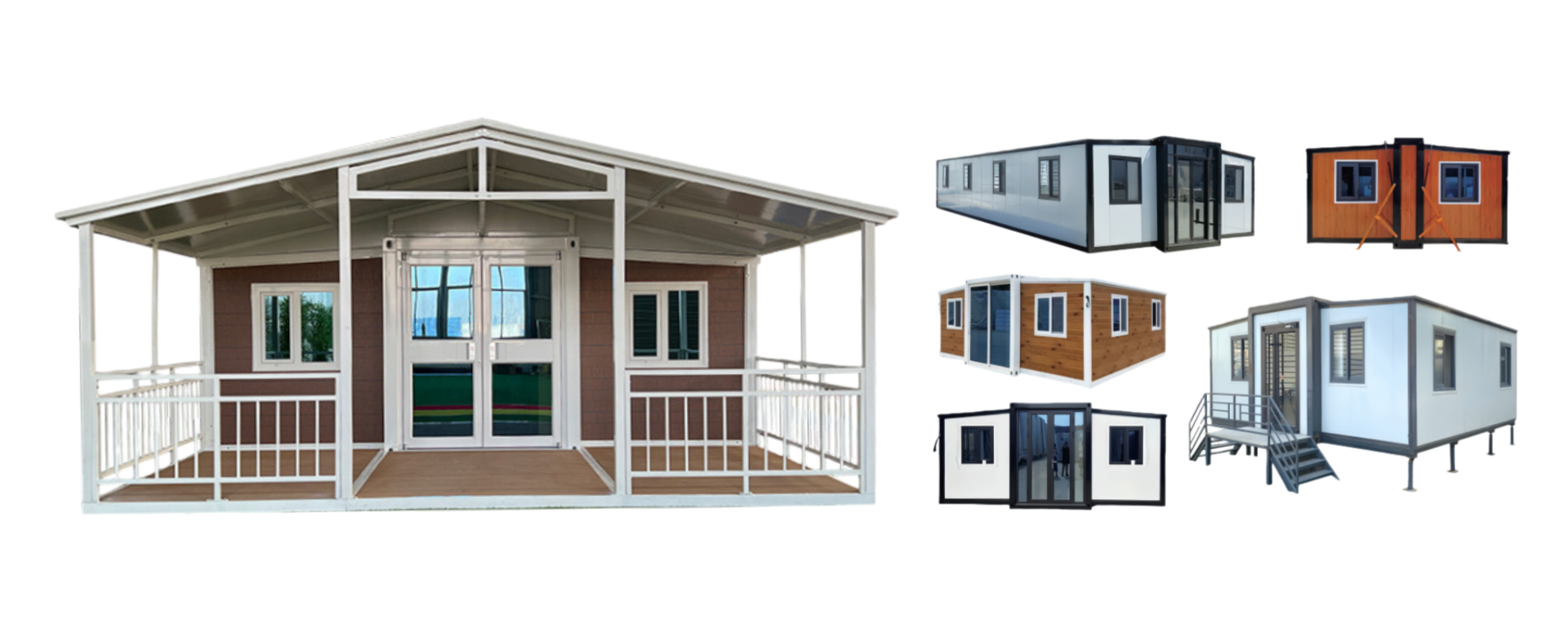
HG Prefab foldable expandable container homes — built to last, delivered worldwide.
A folding container home is usually bought for a place where nothing else is practical: a ranch boundary, a construction camp, a holiday plot hours from the nearest town. The building solves shelter on day one. The internet does not solve itself, and it is the most common regret in remote builds. Water you can haul and power you can generate; a video call that drops every few minutes makes a home office unworkable. This guide covers the whole chain: why a corrugated steel shell blocks signal, the choice between satellite and cellular, the internal distribution that actually covers a metal box, the power budget your network adds to a solar system, and a failover setup so one dead link does not take the house offline. If you are still deciding whether the site is off-grid at all, start with our off-grid folding container home guide, because power and connectivity come from the same site survey.
The connectivity package is also small next to the building: HG Prefab factory prices are 20FT $7,200–$9,800; 30FT $10,500–$14,500; 40FT $12,500–$16,500 ex-works. A few hundred dollars on the right antenna mount, a sealed cable entry and one spare mesh node is a rounding error, and it is the difference between a home that works and one needing a second visit.
Why Steel Walls Affect Wi-Fi
Wi-Fi runs at 2.4 GHz and 5 GHz, and those frequencies do not pass through steel — they are reflected and absorbed by it. A corrugated steel wall is a mirror for the signals your router is sending, an effect strong enough to have borrowed a name from shielding design: the Faraday effect.
What this means in practice
- Outside signal does not come in. A 4G/5G modem inside a closed container can lose most of the signal available just outside the door.
- Inside coverage is uneven. One router in one corner leaves dead zones at the far end, because wall panels and the steel floor block and reflect the path.
- Folding seams are worst. Hinge lines and reinforced posts are the densest steel. Never plan a wireless hop across a hinge line.
In short: get the wide-area link outside, bring it in as a cable through one sealed penetration, and distribute from more than one point — a wired access point at the far end or mesh nodes in the open.
Option 1: Starlink and Satellite
Satellite broadband is the default answer for genuinely remote sites, because it depends on no ground infrastructure within range of the property. A phased-array terminal tracks satellites automatically, needs only an open view of the sky, and delivers speeds that support video calls, streaming and remote work.
What to plan for
- Sky view, not ground distance. Trees, a ridge line or a taller neighbouring structure can cut service. Walk the site and look up first.
- Mounting. Roof-edge poles, ridge brackets and tripods are common, but a ground mast clear of the building is better long-term: no roof loading question, easy to level, serviceable without climbing.
- Cable entry, climate and power. Route the proprietary cable through a gland or service channel, never a door seal, since crushing it in a folding seam is the most common self-inflicted failure. Cold regions see higher draw when snow-melt heating runs; in heat, keep the router out of sun. Either way the terminal is a continuous load and belongs in the daily energy budget.
Where satellite is not the answer
Under heavy tree cover, in a narrow valley or against a cliff, a terminal may never get a clean view. Cellular is then the better primary, with a directional antenna aimed at a tower you can see.
Option 2: 4G/5G Cellular Routers
Where a tower is within range, a cellular router with external antennas is often the best value in remote connectivity. The router holds the SIM and presents Wi-Fi and Ethernet to the house; the antennas do the receiving. The antennas matter far more than the router.
External antenna placement on steel walls
- Outside the shell, always. An antenna flush against corrugated steel is fighting the one material that blocks it.
- Height beats gain. Two metres higher usually buys more than a higher-gain model. A roof-edge mast, gable pole or guyed mast all work.
- Aim it. A directional panel pointed at the nearest tower beats an omnidirectional whip. Survey with a phone first.
- Use two antennas. Most routers are MIMO devices; mount them cross-polarised and roughly a wavelength apart.
- Short coax, sealed entry. Cable loss is real at these frequencies, so keep the router near the entry point and finish with a gland, butyl tape and a drip loop.
Choosing equipment and data
Buy a router with external antenna ports, Ethernet LAN ports and WAN failover to a second source, and check the bands your carriers actually use. Truly unlimited data is rare, so a business plan with a known allowance is more predictable than a consumer plan with a soft cap. At the edge of coverage, 4G LTE is typically more stable than 5G, which is faster but shorter-range and more easily blocked by terrain.
Option 3: Fixed Wireless and DSL
These two deserve a quick check before you commit to satellite or cellular, because when either is available it is usually cheaper and more stable.
Fixed wireless
A local provider delivers a link from a nearby tower or hilltop relay to a small dish on your building. Latency is low and monthly cost often undercuts satellite and cellular. The catch is purely local: the provider needs line of sight to your site, so ask before the unit ships.
DSL and copper
Where a telephone line reaches the site, DSL is the cheapest reliable option, with low latency and no line-of-sight requirement. Speed drops sharply with distance from the exchange or cabinet, so confirm the estimate for your exact address rather than a coverage map.
Whole-Home Distribution: Mesh vs Ethernet
Once the internet is inside, the question is how to spread it through a steel box. There are two approaches, and the right answer is usually both.
When mesh is enough
A two or three node mesh system covers a 20FT or 30FT unit well and is the least invasive option, because nothing has to be drilled. For a metal interior: keep nodes in open air and off the steel panels, and use a wired backhaul between nodes where possible instead of wireless hops through the structure. In a 40FT layout with partitions, plan three nodes.
Why Ethernet still wins
Cable does not care about steel. A run of Cat6 to a far-end access point, a desk or a camera recorder is immune to every problem above. Anything fixed and important — the office desk, the smart-home hub, the far mesh node — deserves a cable.
Wiring channels in folding walls and conduit tips
- Only fixed panels. Never drill a hinge line, folding seam, corner casting, structural post or roof panel. A hole in the wrong place is a structural problem and a leak.
- Use factory service channels. Folding units have service paths for electrical and plumbing; data usually runs alongside. Confirm the route before production, not after delivery.
- Surface conduit is acceptable where there is no internal chase: a neat run along a wall-ceiling junction is serviceable, visible and safe.
- Separate low voltage from mains to avoid interference, crossing at right angles where they must meet.
- Terminate on keystone jacks so a damaged run can be replaced, and leave a service loop where the structure moves.
Our smart technology guide for folding container homes covers the device side in more detail, including hub and sensor placement on a steel-framed layout.
Powering Your Network Off-Grid
Network equipment is a permanent, always-on load, and it is routinely left out of solar sizing. Typical figures: a satellite terminal 40 to 100 watts, peaking at startup and snow melt; a cellular router 10 to 25 watts; a mesh node 10 to 30 watts. A complete network sits around 60 to 200 watts before inverter losses.
Duty cycle is what makes that matter. A kettle runs for three minutes; the router runs for twenty-four. At 120 watts continuous the network alone uses roughly 2.9 kWh per day, comparable to a small refrigerator, and it must be available at night too.
Practical power steps
- Prefer DC. Many routers and terminals run natively on 12 V or 24 V DC, and feeding them from the battery bus avoids inverter losses.
- Use a pure sine wave inverter where AC is needed, sized for the combined continuous load rather than the peak on the box.
- Give the network its own protected circuit so a faulty appliance elsewhere does not take the internet down.
- Size for the worst day and add a small UPS to ride through generator changeovers and cloud cover.
Work these numbers into the same spreadsheet as the rest of the house. Our guides to solar power setups for container homes and calculating the electrical load of a folding container home use the same method: list every load, assign wattage and hours, then size from the total.
Redundancy: Building a Failover Setup
Every remote link fails eventually: a tower goes down, a plan changes, a cable works loose. Failover is cheap insurance and easier to build in than to retrofit.
- Dual-WAN router. Pick one that accepts two sources and switches automatically. Satellite primary with cellular backup is usual; in a valley, cellular primary with a second carrier is better.
- Two carriers, not two SIMs from one. A second SIM on the same network buys nothing during that network's outage.
- Keep the backup capped with a usage alert, test it monthly by pulling the primary cable, and keep an offline path of downloaded maps and documents.
Connectivity Options Compared
The table summarises the three main ways to bring internet to a remote folding container home. Figures are planning ranges, not quotes, and vary by country, terrain and provider.
| Option | Typical speed | Latency | Monthly cost | Best for |
|---|---|---|---|---|
| Starlink / satellite | 50–250 Mbps | 25–60 ms | $50–$150 | Remote sites with open sky and no tower in range |
| 4G/5G cellular router | 10–150 Mbps | 20–60 ms | $30–$110 | Sites within range of a tower, with a directional external antenna |
| Fixed wireless / DSL | 10–100 Mbps | 10–40 ms | $30–$90 | Sites with a local provider or existing copper line |
Equipment and Running Costs
Generic ranges, one-off cost first: a satellite terminal kit $300–$700, plus $50–$150 per month; a cellular router with external antenna ports $150–$500, plus $30–$110 per month; a directional antenna pair $50–$200; a two or three node mesh system $120–$400; cabling, conduit and glands $60–$250; a DC feed or small UPS $80–$300; a backup SIM on a second carrier at $5–$25 per month.
Read every figure as a planning range. The only way to narrow them is a site survey: stand where the house will stand, look up for sky, look out for towers, and test with a phone.
Delivery Day: Placement, Offload and Antenna Siting
Connectivity is easier to install on delivery day than later, because the crew and access gear are on site together.
- Survey before the truck arrives. Note signal strength on each carrier, the nearest tower direction and the clearest sky, then mark the antenna position.
- Offload and antenna siting. Yes — a crane or forklift is required to offload the folded unit from the truck. Once it is set in position, four workers can unfold and assemble the main structure in about 2 hours. Book the lift for the morning, then mount the dish or antenna in the afternoon while access equipment is still there.
- Drill the entry point once and commission it before the crew leaves: gland and sealant on hand, link confirmed, speed tested, mounting detail photographed.
Planning connectivity for a remote unit?
HG Prefab, manufactured by Henan Huangang Machinery Equipment Co., Ltd., builds 20FT, 30FT and 40FT folding expandable container houses, and we can pre-plan service channels, cable entry points and mounting brackets for satellite dishes and external antennas before production. Tell us your site, your carriers and whether the unit will be off-grid. Email hgmechequip@gmail.com or WhatsApp +86 191 0388 7380. Full model range on the products page.
Browse modelsFrequently Asked Questions
Does Starlink work with a metal container home?
Yes. The dish needs a clear view of the sky, and the mounting point matters more than the building material. Mount it on a roof-edge pole, a ridge bracket or a ground mast clear of the steel walls, and route the cable in through a sealed gland rather than through a door seal. Inside, a single router rarely covers a steel unit, so plan a mesh node or an access point in the far end of the home.
Where should I mount an external cellular antenna?
Outside the steel shell and as high as practical, on a mast or wall bracket, pointed toward the nearest tower. A magnetic or suction mount against the corrugated wall is the worst option, because the panel behind it blocks the signal and the bracket may not hold in wind. Keep the antenna cable short, use low-loss coax, and seal every penetration with a weatherproof gland and butyl tape.
How much power does a Starlink setup use?
Most Starlink terminals draw roughly 40 to 100 watts in normal operation, with a higher peak during startup and snow melt, and a router or mesh node adds about 10 to 30 watts each. Budget around 100 to 200 watts for the whole network before inverter losses. Running it through a pure sine wave inverter adds overhead, so size the battery and solar array for the network as a permanent base load rather than an occasional one.
Can I run ethernet through the walls of a folding container house?
Yes, but only in fixed panels and only through protected chases. Never drill through a hinge line, a folding seam, a structural column or a roof panel. Use factory-formed service channels or surface conduit, keep low-voltage cable separated from mains wiring, leave a service loop at every moving joint, and terminate with keystone jacks so a damaged run can be replaced without opening the wall.